thos@portfolio:~$ cd ~/projects/dots && cat README.md
Hyprland Dotfiles
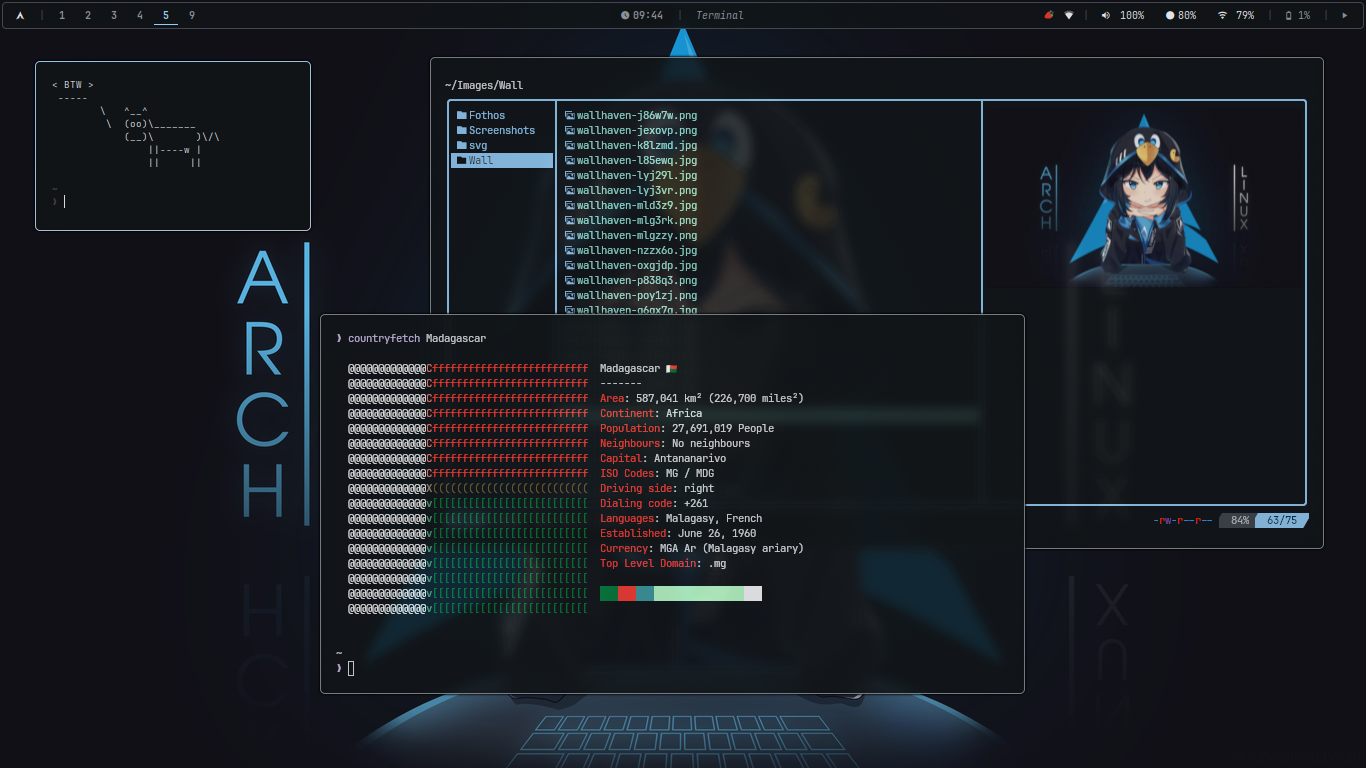
Personal dotfiles for a customized Hyprland setup, focused on simplicity, aesthetics, and efficiency.
🖌️ This configuration uses matugen for dynamic Material You (MD3) color theming generated from your wallpaper.
📦 Dependencies
Make sure you have the following packages installed:
- Hyprland
waybar(status bar)kitty(terminal)rofi(app launcher)dunst(notifications)awww(wallpaper manager)hypridle(idle manager)hyprlock(screen locker)hyprpolkitagent(polkit authentication)satty(screenshot tool)cliphist(clipboard manager)rofimoji(emoji picker)networkmanager_dmenu(network manager)thunar(file manager)zathura(pdf reader)viewnior(image viewer)firefox(web browser)brave(web browser, optional)pamixer(volume control)brightnessctl(brightness control)playerctl(media control)wireplumber(pipewire session manager)matugen(dynamic colors)jq(JSON processor, for zoom bindings)xdg-user-dirs(screenshot path)nvim(optional)pavucontrol(optional, volume mixer GUI)yazi(optional, file manager) +ffmpeg7zipjqpopplerfdripgrepfzfzoxideresvgimagemagickpywalfox(optional, Firefox theming)stow(dotfiles manager)papirus-icon-theme
📦 Install dependencies on Arch (with yay)
yay -S hyprland waybar kitty rofi dunst awww hypridle hyprlock hyprpolkitagent satty thunar zathura viewnior firefox pamixer brightnessctl playerctl wireplumber matugen jq xdg-user-dirs stow nvim papirus-icon-theme cliphist pavucontrol rofimoji networkmanager_dmenu yazi ffmpeg 7zip poppler fd ripgrep fzf zoxide resvg imagemagick ttf-jetbrains-mono-nerd noto-fonts-cjk noto-fonts-emoji🧷 Installation
- Clone this repo into your dotfiles directory:
git clone --depth=1 https://github.com/berthosefin/dots.git
cd dots- Deploy the Hyprland configuration using GNU Stow:
chmod +x install.sh
sh install.sh
This will symlink the configuration files into your ~/.config directory.
🎨 Theming
Colors are dynamically generated from your wallpaper using matugen (HCT/CAM16 MD3 color tokens). To apply a new theme:
matugen image /path/to/wallpaper.jpgThis automatically updates: Hyprland, Hyprlock, Waybar, Rofi, Kitty, Dunst, GTK3/4, Neovim, Kvantum, Zathura, BTOP, OpenCode, VSCode, Zed, Tmux, Yazi, Firefox (via pywalfox), and Papirus-folders.
Icons
- Icon theme: Papirus-Dark
- Folder colors: dynamically set via
papirus-foldersbased on the wallpaper's primary MD3 color (requires a NOPASSWD sudoers rule for thepapirus-folderscommand)
Cursor
- Cursor theme: Banana
⌨️ Keybindings Overview
| Keybinding | Action |
|---|---|
| System | |
SUPER + Shift + Q | Powermenu (rofi) |
SUPER + Shift + C | Reload Hyprland + Waybar |
ALT + L | Lock screen |
| Applications | |
SUPER + Return | Kitty (terminal) |
SUPER + Shift + Return | Kitty (floating terminal) |
SUPER + D | Rofi drun |
SUPER + R | Rofi run |
SUPER + E | File manager (Thunar) |
SUPER + W | Browser (Firefox) |
SUPER + N | Network manager |
SUPER + M | Emoji picker (rofimoji) |
SUPER + V | Clipboard (cliphist) |
| Window management | |
SUPER + Q | Close window |
SUPER + F | Toggle fullscreen |
SUPER + Space | Toggle float |
SUPER + P | Pseudo (tiling) |
SUPER + T | Toggle split |
SUPER + G | Group/Ungroup windows |
ALT + > / ALT + < | Switch grouped window |
| Focus | |
SUPER + H/J/K/L | Focus left/down/up/right |
SUPER + Arrows | Focus left/down/up/right |
| Move | |
SUPER + Shift + H/J/K/L | Move window left/down/up/right |
SUPER + Shift + Arrows | Move window left/down/up/right |
| Workspaces | |
SUPER + [1–10] | Switch workspace |
SUPER + Shift + [1–10] | Move window to workspace |
SUPER + S | Toggle special workspace |
SUPER + Shift + S | Move to special workspace |
| Mouse | |
SUPER + LMB | Drag window |
SUPER + RMB | Resize window |
SUPER + Scroll | Switch workspace |
| Zoom | |
SUPER + KP_ADD | Zoom in |
SUPER + KP_SUBTRACT | Zoom out |
SUPER + = | Reset zoom |
| Media | |
XF86Audio* | Volume up/down/mute |
XF86MonBrightness* | Brightness up/down |
XF86Audio{Next,Prev,Play} | Playerctl controls |
🛠 Tips
-
Keybindings are defined in
home/.config/hypr/hyprland.lua. -
To restrict Papirus-folders color changes to your user without a password prompt, add a sudoers rule:
youruser ALL=(ALL) NOPASSWD: /usr/sbin/papirus-foldersMake sure the filename sorts after any
ALL=(ALL) ALLrule (e.g.zz_papirus-folders).